Tampilkan postingan dengan label desktop. Tampilkan semua postingan

FUJITSU DESKTOP RECHARGEABLE PORTABLE SPEAKER

Senin, 30 Juni 2014


FUJITSU DESKTOP RECHARGEABLE PORTABLE SPEAKER


FUJITSU DESKTOP RECHARGEABLE PORTABLE SPEAKER is one of the bestseller product in the market today. People arround United Kingdom is looking for FUJITSU DESKTOP RECHARGEABLE PORTABLE SPEAKER with low prices from Internet. If youre lucky you can get a special discount from Amazon, only in this month. Well, good product that comes with low prices is everyone choices.

For sale now at cheap price, promo discounts and fast shipping. I am quite happy with their qualities and highly recommend it to anyone looking for a quality item with the newest specifications at an affordable. You can read testimony from customers to find out more through their experience. FUJITSU DESKTOP RECHARGEABLE PORTABLE SPEAKER has worked wonders for me and I believe it will do wonders on you too. So why waste much more time? Enjoy yourself, you know where you can purchase the best ones.

Some of the customer reviews speak that the FUJITSU DESKTOP RECHARGEABLE PORTABLE SPEAKER are splendid luggage. Also, It Is a pretty well product for the price. It’s great for colony on a tight budget. We’ve found pros and cons on this type of product. But overall, It’s a supreme product and we are well recommend it! When you however want to know more details on this product, so read the reports of those who have already used it.


FUJITSU DESKTOP RECHARGEABLE PORTABLE SPEAKER is a good choice with brand new features that will make you amaze. But if you still want to have another information about FUJITSU DESKTOP RECHARGEABLE PORTABLE SPEAKER, you can read more detail information, spesification, and reviews from people that bought FUJITSU DESKTOP RECHARGEABLE PORTABLE SPEAKER below.

FUJITSU DESKTOP RECHARGEABLE PORTABLE SPEAKER Detail Information :


This Page is a participant in the Amazon Services LLC Associates Program, an affiliate advertising program designed to provide a means for sites to earn advertising fees by advertising and linking to Amazon.co.uk
CERTAIN CONTENT THAT APPEARS ON THIS SITE COMES FROM AMAZON SERVICES LLC. THIS CONTENT IS PROVIDED "AS IS" AND IS SUBJECT TO CHANGE OR REMOVAL AT ANY TIME.

Read More..

Logitech Wireless Desktop MK710

Selasa, 17 Juni 2014

Logitech Wireless Desktop MK710Technology buffs are becoming more spoiled by the day, especially with all the wireless tech that has been pouring into our laps over the past few years. It seems that if any piece of tech we want to get comes with a cord we immediately shun it like the plague. Well its a good thing companies are realizing that absolutely nobody wants a wired device anymore because most companies are trying their hardest to make all devices wireless and all wireless devices last longer.

Logitech is taking wireless connectivity to the next level with their wireless Desktop MK710 keyboard and mouse combo. The keyboard and mouse work just like any other wireless device with one huge selling point, a supposed 3 year battery life for both the keyboard and mouse which is a feat Logitech says it is the first to achieve.

To achieve this long battery life, Logitech uses aggressive power-saving algorithms. Now, when people hear this they tend to worry that the algorithms may cause lag but Logitech assures us that even with the algorithms users will not experience any unseemly lag. Being able to experience 36 straight months on a single set of batteries without having to deal with ridiculous lag is something that grabs the attention of a lot of tech junkies.

According to Logitechs Senior Vice President and General Manager of the Control devices Business Unit Rory Dooley, "No one thinks about changing batteries until they have to, but when that time comes it can stop you in your tracks. With its industry-first three-year battery life for a combo, you might just forget the logitech Wireless Desktop MK710 uses batteries at all."

Another key feature with the MK710 mouse and keyboard combo is the single Logitech Unifying Receiver, a single, tiny receiver plugged into one of your computers USB ports that connects both your keyboard and mouse through a single port. The single receiver is small and being able to connect both devices greatly diminishes your computers clutter.

The keyboard itself features Logitechs incurve keys as well as a cushioned palm rest. The keyboard also features an LCD dashboard which gives you the status of Caps Lock, Scroll Lock, Number Lock and battery life. The mouse is a midsize Logitech laser mouse that comes complete with hyper-fast scrolling. The mouse has a right handed design with three customizable thumb buttons in close reach of each other. Both devices run on Logitech Advanced 2.4GHz wireless connectivity. Typical wireless systems run on 27MHz systems and Logitechs 2.4GHz system allows a much faster transmission of information. The 2.4GHz system also comes with a 128-bit AES encryption that ensures all of your important data is safe and secure.

The Logitech Wireless Desktop MK710 is hitting stor shelves in Europe this month and will becoming to us Americans in April under a $99.99 price tag.


Looking for Computer / PC Rental information? Visit the www.rentacomputer.com PC Rental page for your short term business PC needs. Or see this link for a complete line of Personal Computer Rentals.
Read More..

Cartoon Multimedia Desktop Speaker Worldwide

Minggu, 15 Juni 2014


Cartoon Multimedia Desktop Speaker Worldwide


Cartoon Multimedia Desktop Speaker Worldwide is one of the bestseller product in the market today. People arround United Kingdom is looking for Cartoon Multimedia Desktop Speaker Worldwide with low prices from Internet. If youre lucky you can get a special discount from Amazon, only in this month. Well, good product that comes with low prices is everyone choices.

Available now at cheap price, special discounts and fast shipping. I am very happy with the features and highly recommend it to everyone wanting for a high quality item with the latest specifications at an reasonable. You can read review from customers to find out more from their experience. Cartoon Multimedia Desktop Speaker Worldwide has worked beneficial for me and I believe it will do wonders on you too. So why spend any more time? Enjoy yourself, you know where you can purchase the best ones.

Most people reviews speak that the Cartoon Multimedia Desktop Speaker Worldwide are splendid luggage. Also, It Is a pretty well product for the price. It’s great for colony on a tight budget. We’ve found pros and cons on this type of product. But overall, It’s a supreme product and we are well recommend it! When you however want to know more details on this product, so read the reports of those who have already used it.


Cartoon Multimedia Desktop Speaker Worldwide is a good choice with brand new features that will make you amaze. But if you still want to have another information about Cartoon Multimedia Desktop Speaker Worldwide, you can read more detail information, spesification, and reviews from people that bought Cartoon Multimedia Desktop Speaker Worldwide below.

Cartoon Multimedia Desktop Speaker Worldwide Detail Information :


This Page is a participant in the Amazon Services LLC Associates Program, an affiliate advertising program designed to provide a means for sites to earn advertising fees by advertising and linking to Amazon.co.uk
CERTAIN CONTENT THAT APPEARS ON THIS SITE COMES FROM AMAZON SERVICES LLC. THIS CONTENT IS PROVIDED "AS IS" AND IS SUBJECT TO CHANGE OR REMOVAL AT ANY TIME.

Read More..

HP Pavilion P6 2390 Desktop Review

Jumat, 06 Juni 2014


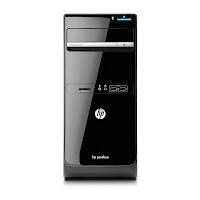
HP Pavilion P6-2390 Desktop

HP Pavilion p6-2390 Desktop has just the right technology for tackling your every day needs, plus it delivers responsive, reliable performance, smooth HD video playback, HP Pavilion p6-2390 Desktop PC quicker web browsing and media playback. This desktop PC includes a DVD burner and a front-panel 6-in-1 media card reader. Its also HP Multi-Display capable, so you can work on two monitors at once.
you can buy HP Pavilion p6-2390 Desktop from many big retailers offline or online like amazon, Best buy, Target, Walmart etc, But which store is the best,we have done work for you, we find the best place to buy HP Pavilion p6-2390 Desktop PC at Amazon.com


HP Pavilion p6-2390 Desktop Features

  • Intel Pentium_G640|#Pentium G640 Processor 2.8 GHz (3 MB cache)
  • 4GB DDR3
  • 500 GB 7200 rpm Hard Drive0 GB Solid State Drive
  • Windows 8
  • Item dimensions 19.53 x 9.45 x 20.39 inches
For more info. about HP Pavilion p6-2390 Desktop PC Review Visit This Link


HP Pavilion p6-2390 Desktop Review Images

HP Pavilion P6-2390 Desktop ReviewHP Pavilion p6-2390 Desktop PC ReviewHP Pavilion P6-2390 Desktop


HP Pavilion p6-2390 Desktop Video


HP Pavilion p6-2390 Desktop 2nd best Seller in amazon.com on 21-11-2012


* CERTAIN CONTENT THAT APPEARS ON THIS SITE COMES FROM AMAZON SERVICES LLC. THIS CONTENT IS PROVIDED "AS IS" AND IS SUBJECT TO CHANGE OR REMOVAL AT ANY TIME.* This site is a participant in the Amazon Services LLC Associates Program, an affiliate advertising program designed to provide a means for sites to earn advertising fees by advertising and linking to amazon.com Amazon and the Amazon logo are trademarks of Amazon.com, Inc. or its affiliates.
Read More..

Pc Recomment pertaining to Wyse C90LE7 Desktop Slimline Thin Client 1 GHz

Senin, 02 Juni 2014

Recomment pertaining to Wyse C90LE7 Desktop Slimline Thin Client - 1 GHz Midgrade

Rankings: Wyse C90LE7 Desktop Slimline Thin Client - 1 GHz

Wyse C90LE7 Desktop Slimline Thin Client - 1 GHz

Wyse C90LE7 Desktop Slimline Thin Client - 1 GHz Midgrade

The Wyse C90LE7 thin client features a separate graphic accelerator for unparalleled performance in its class. The ultra low power media system processor delivers rich multimedia and video playback up to 1080p HD resolution. The Wyse C90LE7 thin client draws just under 7 watts of power and creates very little heat. As a result, each Wyse C90LE7 thin client contributes to cooler working environments, greatly reduced carbon footprints and huge savings in energy costs when compared to equivalent PC desktops.

Read more »
Read More..

Desktop Overview NEC Display OPS PCIA H Single Board Computer

Rabu, 28 Mei 2014

Assess NEC Display OPS-PCIA-H Single Board Computer on the market Right now

Evaluations: NEC Display OPS-PCIA-H Single Board Computer

NEC Display OPS-PCIA-H Single Board Computer

NEC Display OPS-PCIA-H Single Board Computer on the market Now

1.2" 2.65 lb 3 Year 4.6" 7.1" NEC Display Solutions: With SB-02AM Adapter: P Series V422 V462 V551 V651 X463UN X551UN Without SB-02AM Adapter: X461S X551S Projectors: PX Series PH Series Operating System: No Operating System CPU: 1.8 GHz Intel Dual-Core Atom (D525) GPU: Nvidia GT218A RAM: 2GB DDR3 Memory Hard Drive: 250GB HDD Video Output: Internal DVI, External DisplayPort Audio Output: Internal Stereo, External DisplayPort Network Connections: Gigabit Ethernet Control I/O: 4 x USB 2.0 Video Format Support: 1080p video playback, MPEG/2, H.264, WM9 Power: 16VDC Input Voltage, Power Dissipation (35W) Operating Temperature: 32 - 104 F / 0 - 40 C Operating Humidity: 80% maximum relative humidity, non-condensing Certifications: CE FCC Section 15 Enjoy seamless integration with these internal Intel ATOM-based PCs with Nvidia ION2 chipsets that adhere to the Open Pluggable Specification (OPS) and increase the operational flexibility of a compatible NEC display for any digital signage application. LCD Display Module NEC Display NEC Display Solutions OPS-PCIA-H OPS-PCIA-H Single Board Computer Single Board Computer Stainless Steel www. necdisplay.com

Read more »
Read More..

Computing device Biggest score DELL OptiPlex Desktop PC Windows 7 Professional

Sabtu, 24 Mei 2014

Greatest coupe DELL OptiPlex Desktop PC Windows 7 Professional Store shopping Nowadays

Scores: DELL OptiPlex Desktop PC Windows 7 Professional

DELL OptiPlex Desktop PC Windows 7 Professional

DELL OptiPlex Desktop PC Windows 7 Professional Buying At this point

Inspired Design The OptiPlex 7010 is designed to seamlessly integrate into the office environment. Choose from four different chassis that are all optimized to maximize desk space: mini-tower deskt.

Read more »
Read More..

ADVENT DESKTOP RECHARGEABLE PORTABLE SPEAKER

Minggu, 06 April 2014


ADVENT DESKTOP RECHARGEABLE PORTABLE SPEAKER


ADVENT DESKTOP RECHARGEABLE PORTABLE SPEAKER is one of the bestseller product in the market today. People arround United Kingdom is looking for ADVENT DESKTOP RECHARGEABLE PORTABLE SPEAKER with low prices from Internet. If youre lucky you can get a special discount from Amazon, only in this month. Well, good product that comes with low prices is everyone choices.

Available now at affordable price, special discounts and fast shipping. Im really happy with the qualities and highly recommend it to anyone looking for a top quality product with the useful specifications at an low. You can read review from buyers to find out more through their experience. ADVENT DESKTOP RECHARGEABLE PORTABLE SPEAKER has worked beneficial for me and I wish it will do wonders on you too. Why then waste any more time? Have Fun, you know where to buy the best ones.

Most people reviews speak that the ADVENT DESKTOP RECHARGEABLE PORTABLE SPEAKER are splendid luggage. Also, It Is a pretty well product for the price. It’s great for colony on a tight budget. We’ve found pros and cons on this type of product. But overall, It’s a supreme product and we are well recommend it! When you however want to know more details on this product, so read the reports of those who have already used it.


ADVENT DESKTOP RECHARGEABLE PORTABLE SPEAKER is a good choice with brand new features that will make you amaze. But if you still want to have another information about ADVENT DESKTOP RECHARGEABLE PORTABLE SPEAKER, you can read more detail information, spesification, and reviews from people that bought ADVENT DESKTOP RECHARGEABLE PORTABLE SPEAKER below.

ADVENT DESKTOP RECHARGEABLE PORTABLE SPEAKER Detail Information :


This Page is a participant in the Amazon Services LLC Associates Program, an affiliate advertising program designed to provide a means for sites to earn advertising fees by advertising and linking to Amazon.co.uk
CERTAIN CONTENT THAT APPEARS ON THIS SITE COMES FROM AMAZON SERVICES LLC. THIS CONTENT IS PROVIDED "AS IS" AND IS SUBJECT TO CHANGE OR REMOVAL AT ANY TIME.

Read More..

Laptop or desktop !! Discounted Startech Computer Products Rack Mounting Kits RK619WALL Startech 6U

Rabu, 02 April 2014

Cut price Startech Computer Products Rack Mounting Kits RK619WALL Startech 6U via the internet

Reviews: Startech Computer Products Rack Mounting Kits RK619WALL Startech 6U

Startech Computer Products Rack Mounting Kits RK619WALL Startech 6U

Startech Computer Products Rack Mounting Kits RK619WALL Startech 6U using the web

Easily fasten your network and telecom equipment to a wall with this sturdy lockable wall mount 6U server rack The RK619WALL Wall Mounted 6U Server Rack/Cabinet can be fastened to most types of walls and features a sturdy compact design that can be positioned almost anywhere without wasting valuable floor space. This equipment rack offers 6U of storage space and is designed to accommodate 19(wide) servers networking and telecom equipment. The rack features a 12cm fan with ventilation positioned above and below the front panel glass door helping to keep dust out of the rack while ensuring a cool operating environment for your valuable equipment. To ensure optimum security and prevent tampering with the enclosed equipment the cabinet/rack features a lockable smoked acrylic front door that can be removed entirely or installed to open to the left or right as needed. Technical Information:. Material: Steel Frame. Physical Characteristics:. Color: Black. Form factor: 19 6U. Dimensions: 13 Height x 22 Width x 15.75 Depth. Miscellaneous:. Package Contents: 6U 19 Wall Mount Server Rack Cabinet Acrylic Door 1 x Set of keys 20 x Cabinet Screw 20 x Cage Nut. Additional Information: Compact wall mount design and rugged steel construction Vented panels with a 120mm cooling fan Large side and bottom cable routing holes with grommets. Compatibility: EIA RS-310D. Security Features: Key lock Lockable acrylic door with a large viewing area. Green Compliance: Yes. Green Compliance Certificate/Authority: RoHS.

Read more »
Read More..

Personal computer Find Lenovo ThinkCentre M92p Black Desktop Computer 2121D6U

Senin, 31 Maret 2014

Search for Lenovo ThinkCentre M92p Black Desktop Computer - 2121D6U via the internet

Scores: Lenovo ThinkCentre M92p Black Desktop Computer - 2121D6U

Lenovo ThinkCentre M92p Black Desktop Computer - 2121D6U

Lenovo ThinkCentre M92p Black Desktop Computer - 2121D6U over the internet

The M92 offers your enterprise legendary performance, unparalleled energy efficiency - including the ultracompact tiny model - plus vPro manageability on the M92p. Get tiny and go big. The Lenovo ThinkCentre M92/M92p is designed for extended lifespan with reliability, manageability, and sustainability. Desktop maintenance is hassle free with 15-month life cycle and high platform stability through Intel Stable Image Platform Program (SIPP). In addition, the Intelligent Cooling Engine (ICE2) helps you manage desktop acoustics and cooling as required-Choose your desktop from the tower, small form factor, or the new tiny form factor specifically designed to suit your need. The new-tiny form factor is the industry first 1L Intel vPro desktop along with VESA mount support for multiple mounting options - including-at the back of a supported monitor-Powered by the latest 3rd generation Intel Core processors, the ThinkCentre M92/M92p provide uncompromised performance across form factors. Maximize system efficiency with Lenovo Enhanced Experience 3 and RapidBoot HDD accelerator. Gain greater performance with support for Intel Smart Response Technology. The desktop is loaded with the industry leading features for communications and enhanced user experience-The ThinkCentre M92/M92p offers all that you need to work in peace of mind - the best performance, enhanced productivity, and-renowned reliability-Specifications-ThinkCentre M92p Tiny, 3/3 Warranty, Display Port Cable, Intel Core i5-3470T Processor, 2.9GHz, 3MB Cache, 4GB DDR3 Memory, 500GB 7200RPM HDD, Windows 8 Pro 64bit downgrade Windows 7 Pro 64bit with Win 8 Pro 64 RDVD, Slim DVD+/-RW Writer, Gigabit Ethernet Adapter, Integrated Intel Graphics, Integrated Audio, Lenovo USB Preferred Pro Full Size Keyboard, Lenovo Enhanced Optical USB Mouse, Internal Mono Speaker, Wireless WLAN Intel N105 802.11b/g/n, 4 x USB 2.0 & 1 USB 3.0, 3 Years Warranty. -Monitor is not included

Read more »
Read More..

HOWTO nVidia CUDA Toolkit 4 0 on Ubuntu 11 04 Desktop

Sabtu, 01 Maret 2014

The CUDA Toolkit 4.0 is released on May 2011. If you have nVidia display card that have several CUDAs on it, you will interested in this tutorial. This time, I would like to show you how to install CUDA Toolkit 4.0 on Ubuntu 11.04 Desktop.


You will experience a more faster desktop after the installation of CUDA Toolkit 4.0. Meanwhile, if you installed SMPlayer, you can playback 1080p videos with the help of vdpau.


Step 1 :


Add the CUDA 4.0 PPA.

sudo add-apt-repository ppa:aaron-haviland/cuda-4.0


Thanks for the developer of CUDA 4.0 PPA - Aaron Haviland of his contribution to make CUDA Toolkit to be installed easily.


Step 2 :


sudo apt-get update

sudo apt-get upgrade


64-bit :

sudo apt-get install nvidia-cuda-gdb nvidia-cuda-toolkit nvidia-compute-profiler libnpp4 nvidia-cuda-doc libcudart4 libcublas4 libcufft4 libcusparse4 libcurand4 nvidia-current nvidia-opencl-dev nvidia-current-dev nvidia-cuda-dev opencl-headers


32-bit :

sudo apt-get install nvidia-cuda-gdb nvidia-cuda-toolkit nvidia-compute-profiler lib32npp4 nvidia-cuda-doc lib32cudart4 lib32cublas4 lib32cufft4 lib32cusparse4 lib32curand4 nvidia-current nvidia-opencl-dev nvidia-current-dev nvidia-cuda-dev opencl-headers


Step 2a (Optional) :


If you do not have any nVidia driver installed before or you encounter any problem of booting up your system, you need to do the following command. Otherwise, this step is not required at all.


sudo nvidia-xconfig


**This step may not be required.


Step 3 :


Reboot your system.


Step 4 (Optional) :


To install SMPlayer.


sudo apt-get install smplayer smplayer-translations smplayer-themes


Then set it to use "vdpau" at "Output Driver" at "Preference".


Step 5 (Optional) :


Once installed the CUDA Toolkit and nVidia drivers, you can download the sample codes for testing.


sudo apt-get install freeglut3-dev libxi-dev libXmu-dev


wget http://developer.download.nvidia.com/compute/cuda/4_0/sdk/gpucomputingsdk_4.0.17_linux.run


sudo chmod +x gpucomputingsdk_4.0.17_linux.run

./gpucomputingsdk_4.0.17_linux.run


Accept the default settings.


cd NVIDIA_GPU_computing_SDK/C

make


** Please ignore the warning messages for unsupported gcc version. That is no harm at all.


Run the sample codes.


cd NVIDIA_GPU_computing_SDK/C/bin/linux/release

./deviceQuery

./nbody


Thats all! See you.
Read More..